
| Note: This guide is based on an earlier version of Social Champ. Some steps or features may have changed. Please refer to the latest documentation or contact support for current information. |
Social Champ allows you to add a card to your account without subscribing to a plan.
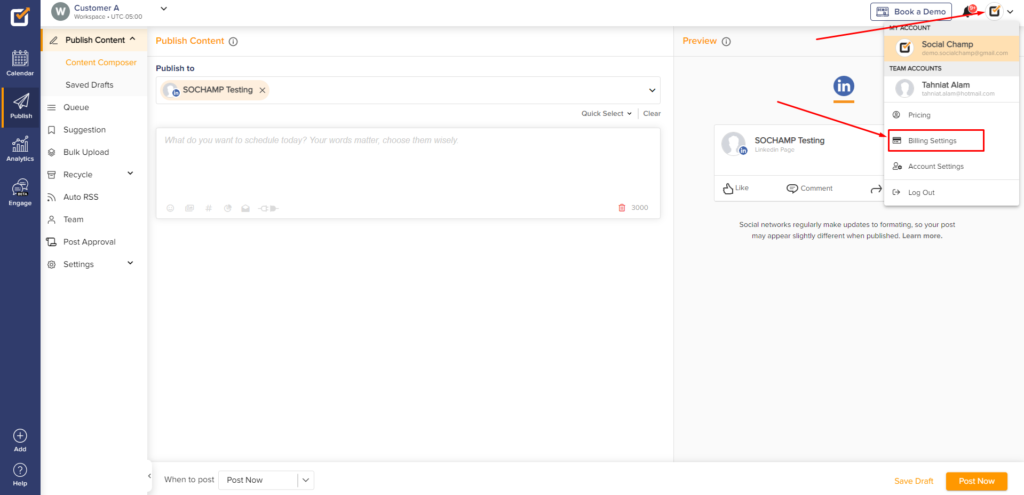
- Login from your Social Champ’s account and you will land on the content dashboard by default. Navigate your cursor to the top-right hand corner, click on the account icon and select Billing Settings from the drop-down menu.
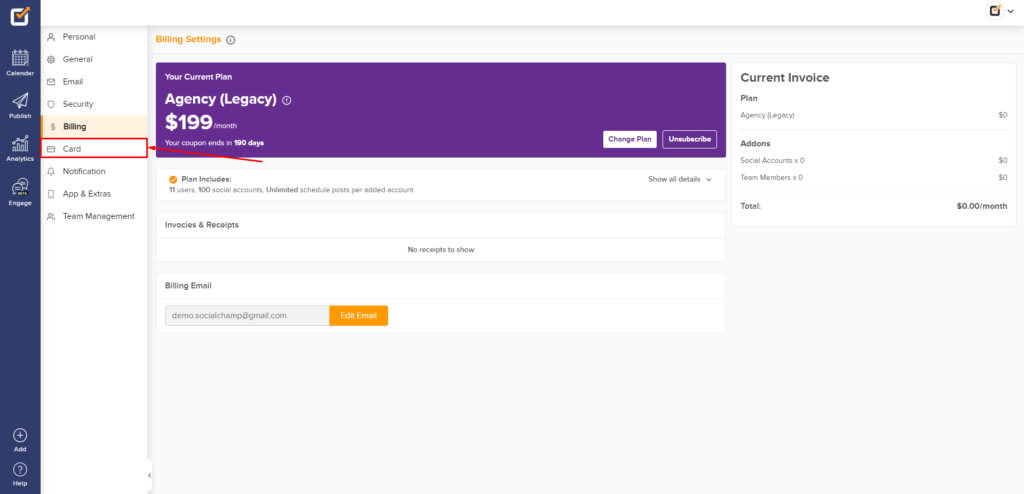
- Then select Card (the one with the card icon) from the left panel.
- Fill out the required details and click on Add Card.
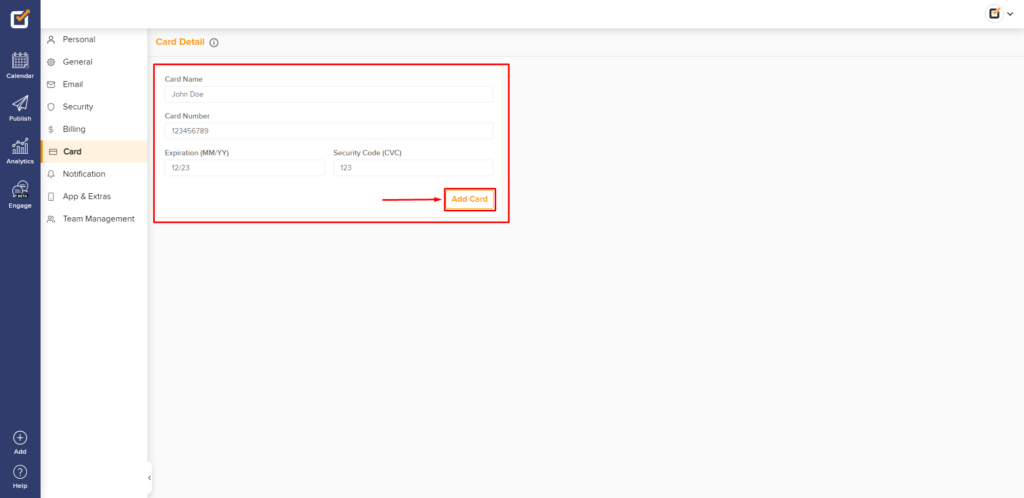
Great work! Your card is now added to your Social Champ account without subscribing to a plan.
Related Guides
Learn How to Subscribe to a Free Plan

Hey Champs! Did you know you can get started with Social Champ absolutely FREE? That’s right, sign up for our Read more
How to Add More Social Accounts in Social Champ

Successfully managing multiple social media accounts and collaborating with your team are fundamental to an impactful social media strategy. Social Read more
How to add a card without subscribing to a pricing plan?

You can easily add your payment card details to Social Champ without activating any subscription. Just follow the steps below: Read more
How to apply coupon code on Social Champ?

Note: This guide is based on an earlier version of Social Champ. Some steps or features may have changed. Please Read more
Was this helpful?
Thanks for your feedback!