
You can easily add your payment card details to Social Champ without activating any subscription. Just follow the steps below:
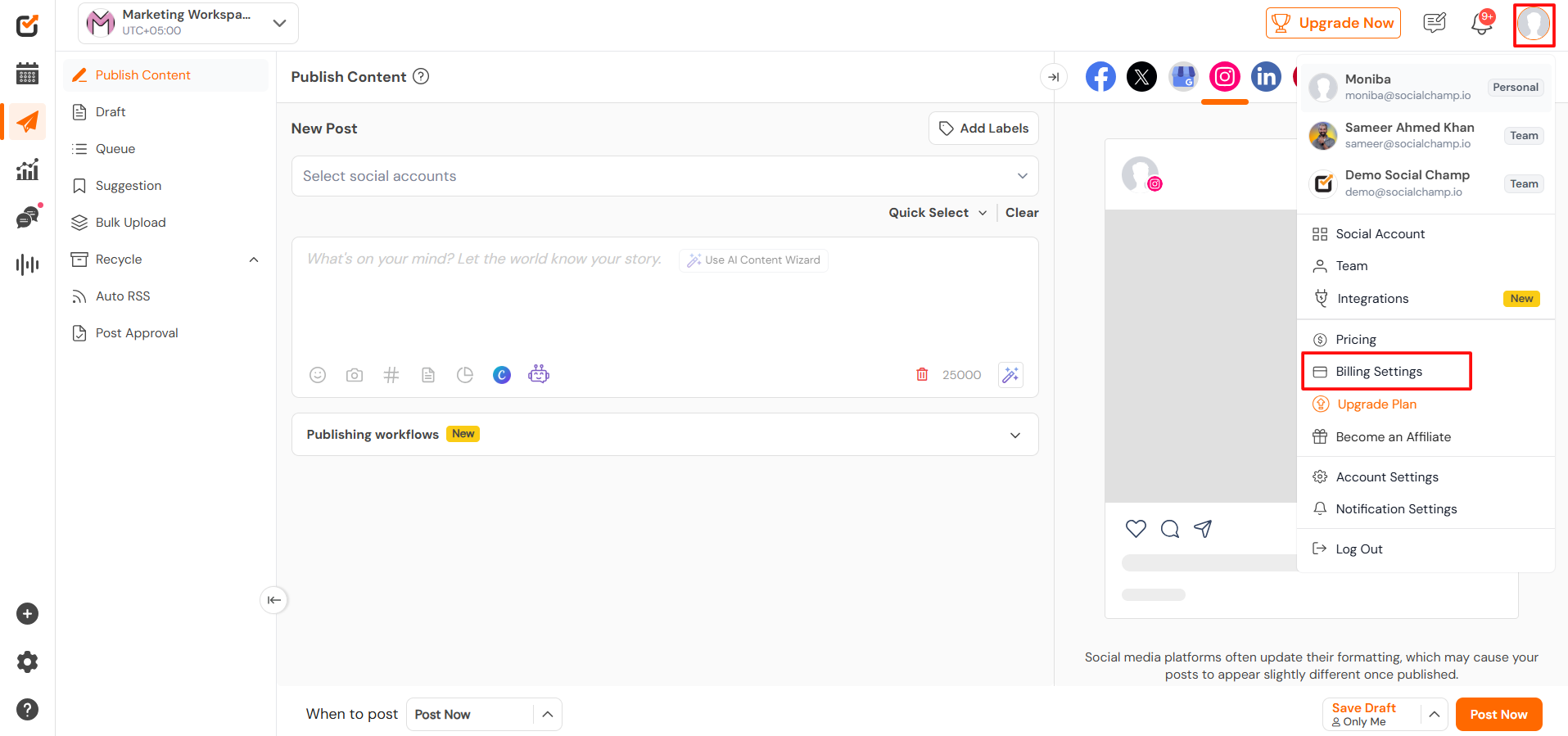
- After logging in, you will land on the Publish Content Dashboard.
In the top-right corner, click on your Account Icon, then select Billing Settings from the drop-down menu.
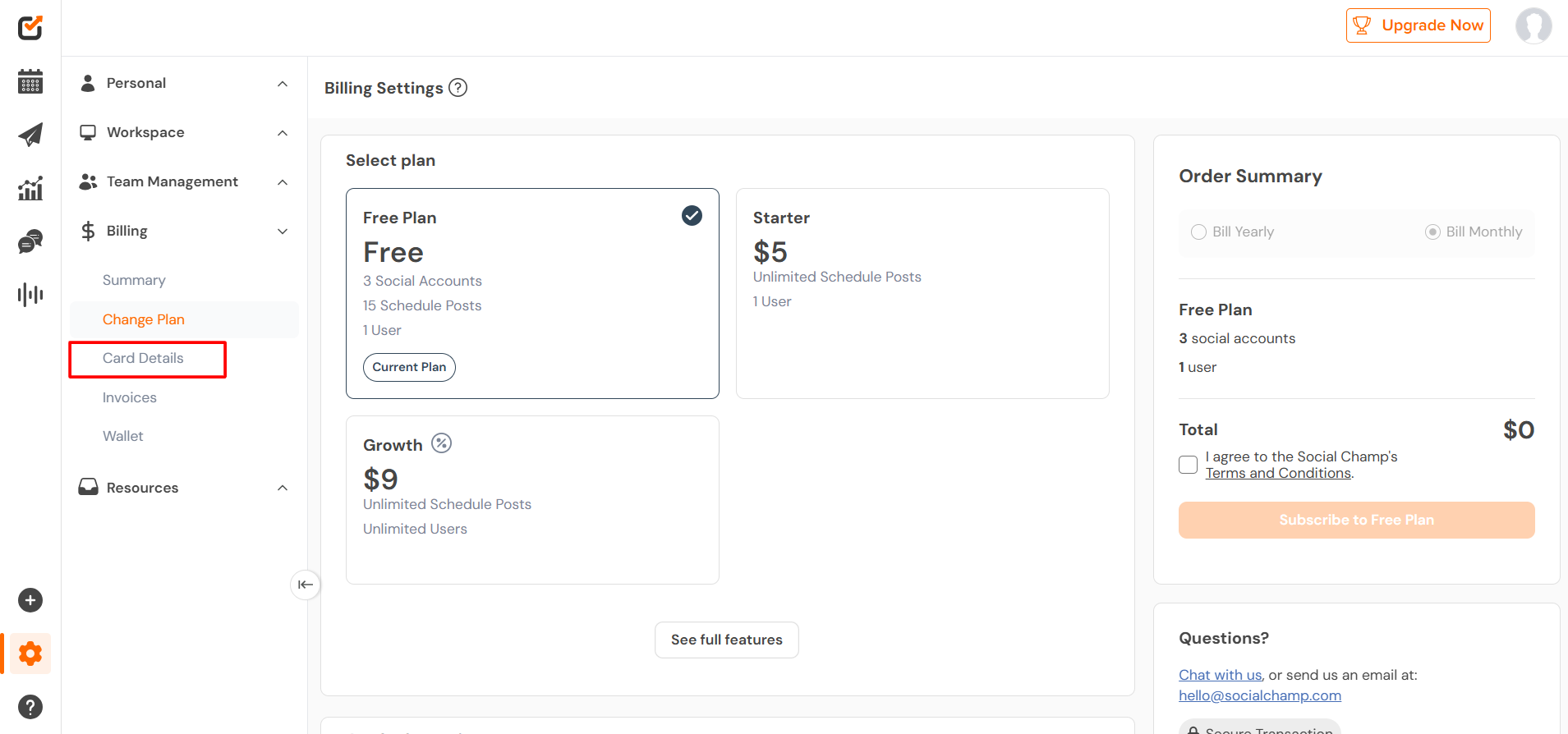
- In the left-side panel, click on Card Details.
- Enter the required information and click Add Card.
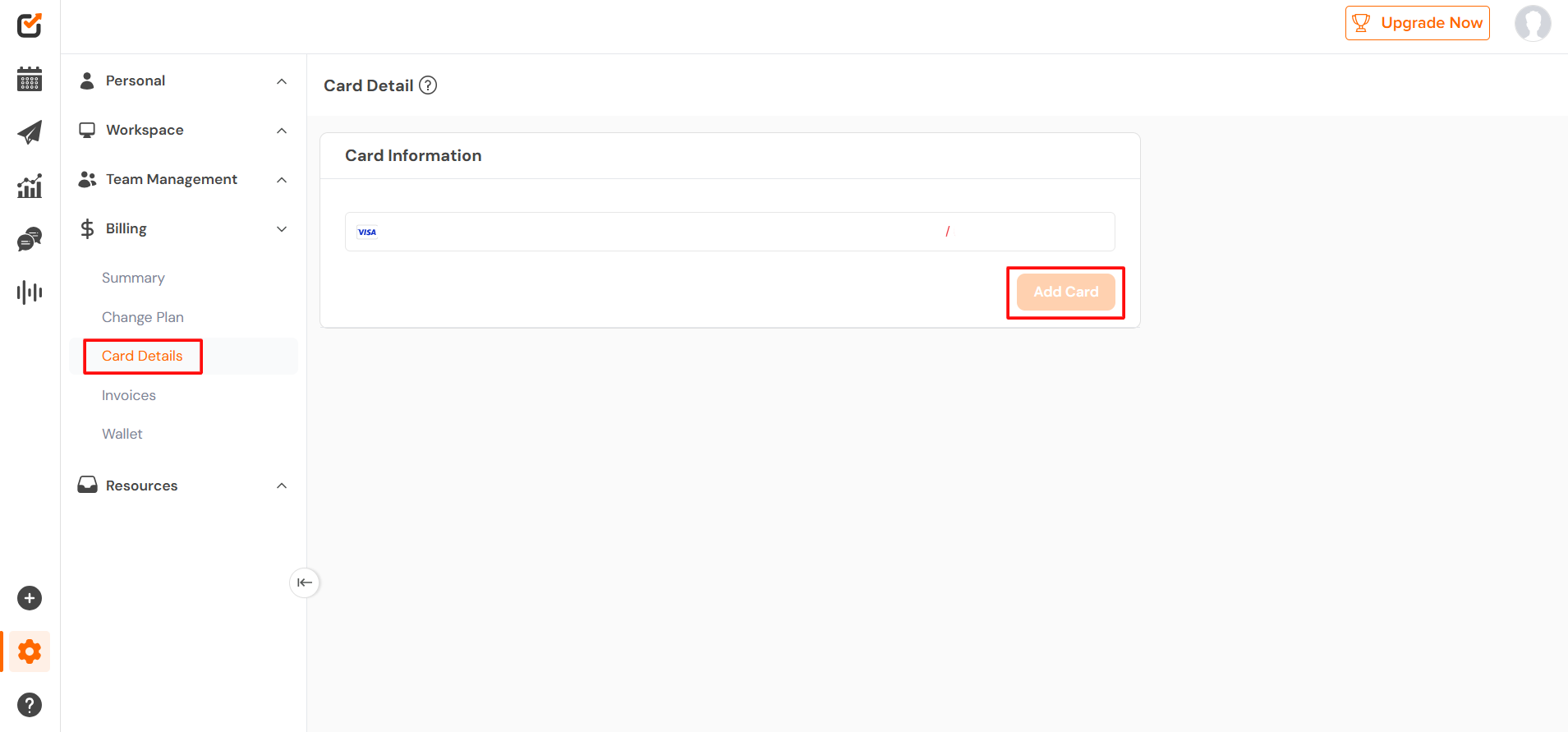
Great work! Your card is now added to your Social Champ account without subscribing to a plan.
Get the Support you need
Having trouble? Got a question? We’re here to support you every step of the way. Simply email us at Support@socialchamp.com, and we’ll get back to you.
Hey Champs! Did you know you can get started with Social Champ absolutely FREE? That’s right, sign up for our Read more
Successfully managing multiple social media accounts and collaborating with your team are fundamental to an impactful social media strategy. Social Read more
Note: This guide is based on an earlier version of Social Champ. Some steps or features may have changed. Please Read more
Note: This guide is based on an earlier version of Social Champ. Some steps or features may have changed. Please Read more